


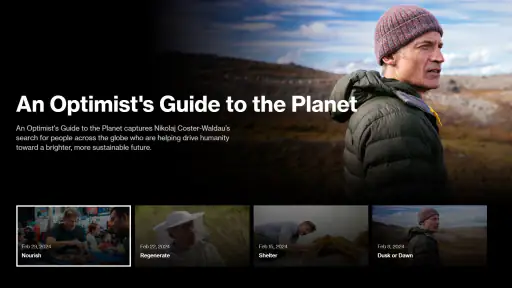

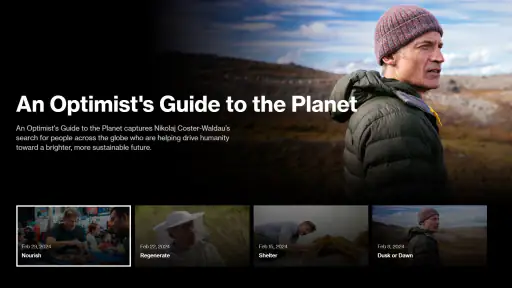

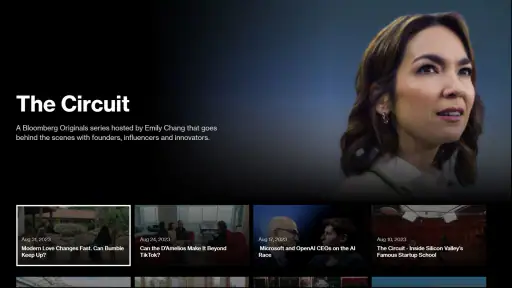
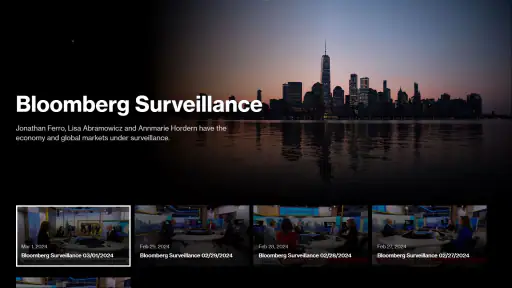

When I open Bloomberg, I am usually not looking for a long reading session. I want a quick way to move from a headline to live business coverage, and the app’s clearest strength is its direct access to Bloomberg TV and Bloomberg Originals. That focus gives it a more useful role than a general news reader for people who follow markets, companies, economics, or business stories through video.
Bloomberg is a free News & Magazines app from Bloomberg LP CM, available for an Everyone audience. I see it as a companion for checking the business news cycle rather than a complete replacement for every news source on my phone. Its appeal depends heavily on whether video is the way I prefer to consume current affairs.
Bloomberg TV is the feature that defines the experience
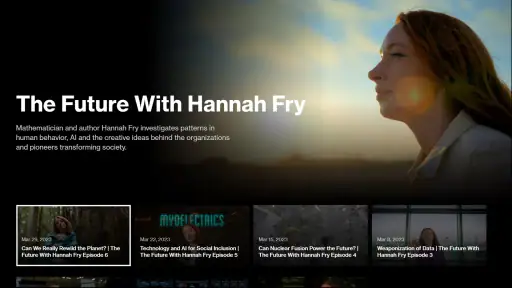
The most important capability here is the connection to Bloomberg TV. Instead of treating video as an occasional extra beside a large general-news feed, the app makes Bloomberg’s television and original programming the reason to return. That changes how I use it: I am more likely to open the app during a market-moving moment, while commuting, or when I want a broader explanation than a short headline can provide.
Bloomberg Originals adds another layer. The value is not simply that the app contains moving pictures; it is that longer-form business storytelling can give context to subjects that are difficult to understand from a notification. A company result, an economic shift, or a technology trend often makes more sense when the story has time to explain the people and forces behind it.
The practical advantage is continuity: I can use the app for a quick check and then stay with a program when a topic deserves more attention. That is a different rhythm from scrolling through brief articles, where every item competes for a few seconds of attention and complicated subjects are easy to abandon.
What watching feels like in everyday use
I would use Bloomberg in three distinct ways. First, I might open it for a fast sense of what is being discussed in business news. Second, I might leave it open while doing another low-attention task, using the television format to follow developments without repeatedly reading. Third, I might choose an original program when I want a story with more shape than a stream of isolated updates.
This makes the app particularly relevant to people who already think in terms of markets and business cycles. A student studying finance could use it to become familiar with the language and themes of the business world. Someone managing a small company might use it to keep an eye on economic stories between meetings. I also think it suits a curious general reader who wants business coverage presented in a more guided format.
It is less convincing for someone who only wants local headlines, sports, entertainment, or a broad mixture of general news. Bloomberg’s identity is specific, and that specificity is a benefit only when it matches the reader’s interests.
How I would fit it into a normal day
A realistic routine would be checking Bloomberg during breakfast, then returning to Bloomberg TV later when a major business subject needs more context. I would not treat every visit as a full viewing session. The app works better when I give it a clear job: catch up on business coverage, listen while preparing for the day, or settle into an original program after seeing a topic that deserves attention.
That approach also prevents a common mistake with video news apps: opening them without knowing whether I want a quick update or a longer explanation. If I only have a minute, I would use the app as a brief check-in. If I have more time, I would choose the television or original-content side deliberately instead of expecting every item to serve both purposes.
For travel, the usefulness depends on the situation. A video-focused app can be more comfortable than reading when I am standing or moving around, but it also demands more attention than a text headline. I would avoid relying on it when I need silent, discreet updates. In those moments, a text-first news app is simply more practical.
Where it differs from ordinary news alternatives
Compared with a general news aggregator, Bloomberg feels narrower but more coherent. Aggregators are better when I want many publishers, local coverage, or a single place for unrelated subjects. Bloomberg is better when I want a business-centered editorial environment and the option to watch rather than only scan.
Compared with a text-first financial news app, its strongest distinction is the television experience. Text is usually faster for searching, comparing details, and checking a specific fact. Video is better at establishing tone, sequence, and explanation. I would therefore keep a text source nearby if I needed precise information quickly, while using Bloomberg when understanding and continuous coverage mattered more than speed.
It also differs from a general video platform. A broad video service may offer more variety, but it can require more effort to find reliable business coverage among unrelated recommendations. Bloomberg’s narrower purpose can reduce that search burden. The trade-off is obvious: I give up variety in exchange for a more focused business-news destination.
Small habits that make the app more useful
I found that the best way to judge the app is not by asking whether it replaces every news tool, but by assigning it a specific place in my routine. I would use it for scheduled viewing or deliberate catch-up, not as my only source for every urgent fact. That distinction makes its strengths clearer and its limitations less frustrating.
Another useful habit is separating background viewing from active research. Bloomberg TV can work while I am doing something else, but if a report affects a decision, I would stop and verify the details through a text source or the relevant primary material. Video is excellent for orientation; it is not always the easiest format for checking a number, spelling, or exact sequence of events.
I would also avoid judging the app after a single short visit. Its most distinctive value appears when I return to the same business themes over time and recognize how programs connect current events with larger developments. If I never watch video and only want compact written updates, I am unlikely to discover much benefit by forcing myself into its main format.
The main trade-offs before installing
The average rating is 2.7 from around 3 thousand ratings, while the app has passed 1 million installs. Those figures suggest a sizable audience but also a mixed reception, so I would approach it with realistic expectations rather than assuming that its publisher or subject matter guarantees a perfect experience.
One source of friction is the format itself. Video takes longer than a headline, and it can be inconvenient when I need to search, skim, or compare several stories. The app’s central capability is therefore also its biggest limitation: the more I want fast, silent, highly searchable information, the less naturally the television approach fits.
Another trade-off is editorial scope. Bloomberg’s business focus can feel reassuringly concentrated when I want markets and economics, but restrictive when my interests move elsewhere. I would not install it expecting a complete daily newspaper. It makes more sense beside a general news source than instead of one.
There is also a difference between following a story and acting on information. I appreciate video for helping me understand why a topic matters, but I would not use a program alone as the basis for an investment or business decision. The app can improve awareness and context; it should not replace careful research, current documents, or professional advice.
The current version is 3.100.2 and the minimum operating system is Android 5.0. That makes it accessible to people using older Android devices, although the quality of any video experience still depends on the phone, connection, and environment in which I watch. I would be especially mindful of battery and data use during long viewing sessions, even when the app itself is free.
Who gets the most from Bloomberg
I think the best match is someone who follows business news regularly and prefers to hear a story explained rather than read a list of headlines. Professionals, students, entrepreneurs, and market-minded readers can all find a role for it, provided they are comfortable with a focused news experience and do not expect it to cover every subject equally.
It can also suit a person who wants a more structured way to learn about business topics. Watching an original program may provide a clearer starting point than opening a search engine and trying to assemble context from disconnected pages. I would still compare viewpoints, but Bloomberg can be a useful first stop when I want a guided explanation.
I would skip it if my priority is local reporting, silent reading, instant article search, or a wide mixture of categories. I would also skip it if I rarely watch news video. In that case, a text-led financial reader or a general aggregator would probably fit my habits better and create less friction.
For me, the decision comes down to one question: do I want business news as something to watch and follow, or as something to scan and search? If the answer is the first, Bloomberg has a clear purpose. If the answer is the second, its most visible strength may not be enough to overcome the slower, less flexible format.
My final view after using it
Bloomberg is a focused free app whose identity rests on access to Bloomberg TV and Bloomberg Originals. I like it most when I want business coverage with continuity and explanation, especially during a quiet viewing period rather than a rushed fact-checking moment. It feels more purposeful than a random video feed and more engaging than a bare list of headlines.
At the same time, I would not present it as the only news app anyone needs. Its narrow subject focus, video-first experience, and mixed average rating mean that the right audience matters. For a business-news follower who enjoys watching coverage, it is worth trying. For a reader who values speed, search, local stories, or text above all else, another option may be the better everyday tool.
My recommendation is to install Bloomberg with a clear expectation: use it as a business video companion, not as a universal news replacement. When that role matches your habits, the app’s focused approach becomes its strongest feature.


